

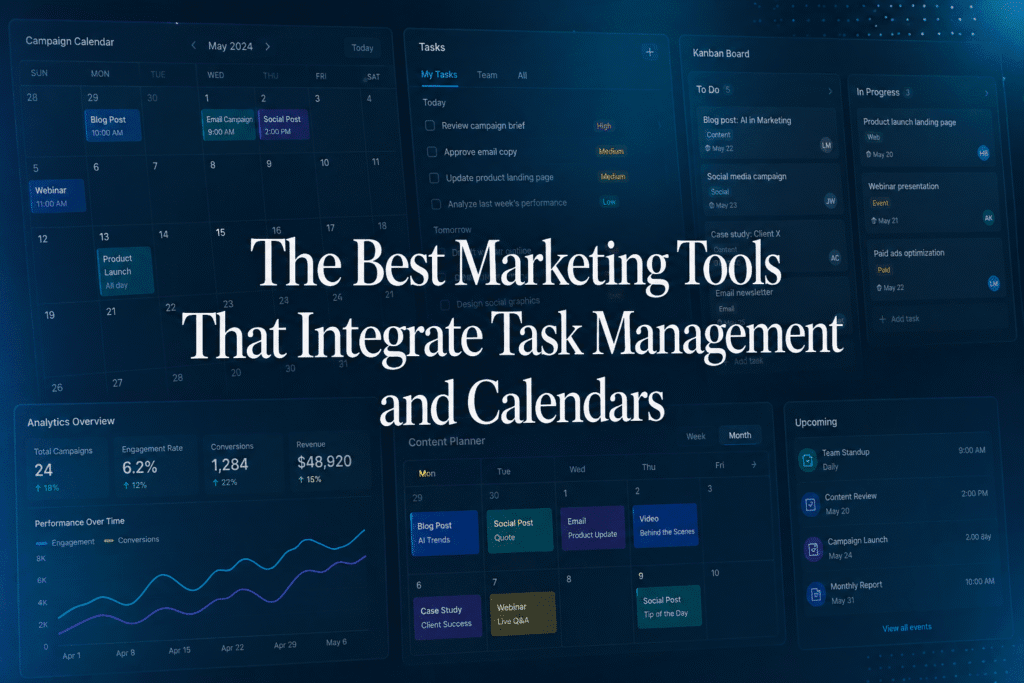
Marketing teams do not just need another task list. They need a way to connect campaigns, content, approvals, timelines, and execution in one shared view.
That is why many teams look for marketing tools that combine task management with a calendar. Task management helps teams track ownership, deadlines, and workflows. A calendar helps teams see what is launching, when it is happening, and how everything fits together.
At Opal, we built our platform for marketing teams that need more than a generic project board or a basic editorial calendar. But there are several strong tools in this category, each with different strengths.
In this guide, we compare the best marketing tools that integrate task management and calendars, including:
- Opal
- Asana
- monday.com
- Wrike
- CoSchedule
- Airtable
- ClickUp
We will look at how each platform supports marketing planning, content calendars, task workflows, collaboration, and campaign visibility.
What Marketing Teams Need From a Calendar and Task Management Tool
The best marketing planning tools should help teams answer three questions quickly:
- What is going live?
- Who owns the work?
- How does each piece of content fit into the broader marketing plan?
For this comparison, we focused on eight features that matter most to modern marketing teams.
| Feature | Why It Matters |
|---|---|
| True-to-life content | Teams need to preview content the way audiences will experience it, not just see task names. |
| Content on calendar | Campaigns, posts, launches, events, and deliverables should appear directly in the calendar view. |
| Multiple calendar views | Teams need to shift between daily, weekly, monthly, seasonal, and campaign-level planning. |
| Annotations | Feedback should happen in context, on the to the creative or content being reviewed. |
| Customizable workflows | Marketing processes vary by team, channel, market, region, and approval path. |
| Notifications | Stakeholders need timely alerts when work is ready, blocked, approved, changed, or due. |
| Filtering on calendar | Teams need to filter by channel, campaign, owner, market, status, audience, or initiative. |
| Flexible project boards | Calendar planning should connect to execution boards, task lists, and workflow stages. |
Quick Comparison
| Tool | Best For | Calendar Strength | Task Management Strength | Marketing Fit |
|---|---|---|---|---|
| Opal | Marketing planning, content, campaigns, and brand alignment | Excellent | Strong | Excellent |
| Asana | General task and project management | Good | Excellent | Good |
| monday.com | Customizable workflows and operations | Good | Strong | Good |
| Wrike | Complex project and campaign operations | Good | Strong | Good |
| CoSchedule | Social and editorial calendars | Strong | Moderate | Good |
| Airtable | Custom content databases and operations | Good | Moderate | Good |
| ClickUp | All-in-one task and project management | Good | Excellent | Good |
1. Opal: Best Overall for Marketing Planning
Opal is built for marketing teams that need to plan, visualize, review, approve, and execute work across channels.
Many project management tools start with tasks and then add a calendar view. Opal takes a different approach. We built Opal around the way marketing teams actually plan: through campaigns, content, launches, channels, moments, approvals, and timelines.
That distinction matters. A task manager can tell you that an asset is due on Tuesday. A marketing planning platform should also show what that asset is, where it appears in the campaign, how it will look to the audience, who needs to review it, and how it fits into the broader marketing calendar.
Key Strengths
True-to-Life Content
Opal helps teams see content in a more realistic, visual way. Instead of reducing work to task names and due dates, Opal gives teams a clearer view of the actual content experience.
This is especially valuable for brand, social, campaign, retail, comms, and content teams that need to understand how marketing will show up to customers.
Content on Calendar
Opal’s calendar is designed for marketing content, not just project deadlines. Teams can plan campaigns, content, launches, and moments in one shared calendar, making it easier to understand what is going live and when.
Multiple Calendar Views
Different planning moments require different levels of detail. A weekly content review needs a different view than a seasonal campaign plan or a monthly executive readout.
Opal helps teams move between high-level planning and detailed execution so they can see both the big picture and the work behind it.
Annotations
Marketing feedback is most useful when it happens in context. Opal supports review and collaboration around the content itself, helping teams move away from scattered feedback across email, chat, documents, and meetings.
Customizable Workflows
Marketing workflows are rarely one-size-fits-all. A social post, retail campaign, executive announcement, product launch, and regional activation may all require different review paths.
Opal supports flexible workflows that can adapt to how different teams, channels, and stakeholders operate.
Notifications
Marketing teams need to know when work is ready for review, when deadlines change, when approvals are needed, and when content is moving forward.
Opal helps teams stay aligned without relying on manual status updates or disconnected communication threads.
Filtering on Calendar
As marketing calendars grow, filtering becomes essential. Teams need to isolate work by campaign, channel, region, market, owner, status, or initiative.
Opal makes it easier to focus on the right slice of the marketing plan without losing sight of the bigger picture.
Flexible Project Boards
Calendar planning and project execution should not live in separate places. Opal connects the marketing calendar to the workflows and project views teams need to move work forward.
Best For
Opal is best for marketing teams that need:
- A shared marketing calendar
- Campaign and content planning
- Visual content previews
- Review and approval workflows
- Calendar filtering by channel, campaign, market, owner, or status
- Flexible workflows and project boards
- A single source of truth for marketing planning
Potential Limitation
Opal may be more platform than a very small team needs if the only requirement is a simple personal task list or lightweight editorial calendar. Opal is most valuable when marketing work is cross-functional, visual, multi-channel, approval-heavy, or tied to broader campaign planning.
2. Asana: Best for General Task Management
Asana is a strong project management platform for teams that need clear task ownership, deadlines, subtasks, dependencies, and project views.
For marketing teams, Asana can work well for task tracking, checklists, creative requests, and cross-functional coordination. Its calendar views help teams see work by due date and manage schedules across projects.
Asana is especially useful when the primary challenge is managing who owns what, what is due next, and how work moves through a project.
Strengths
- Strong task management
- Clear ownership and due dates
- Subtasks and dependencies
- Calendar and timeline views
- Useful for cross-functional project tracking
- Easy to structure campaign and content production workflows
Potential Limitation for Marketing Teams
Asana is a general work management platform, not a marketing-specific planning environment. Teams that need true-to-life content previews, visual campaign calendars, annotations, and marketing-specific planning workflows may need additional tools or customization.
Best For
Asana is a good fit for marketing teams that prioritize task ownership, project visibility, and production tracking over visual content planning.
3. monday.com: Best for Customizable Workflows
monday.com is a flexible work management platform that can be configured for many types of teams, including marketing.
Its strength is customization. Teams can create boards, statuses, automations, dashboards, and views that reflect their specific process. For marketing teams, monday.com can support campaign planning, creative requests, content calendars, approvals, and reporting.
Strengths
- Highly customizable boards
- Flexible workflow setup
- Automations
- Dashboards and reporting
- Multiple project views
- Useful for marketing operations and campaign tracking
Potential Limitation for Marketing Teams
monday.com gives teams a lot of flexibility, but that also means marketing teams often need to design and maintain their own planning system. For teams that want a marketing-native environment centered on content, campaigns, and calendar planning, monday.com may require more setup.
Best For
monday.com is a good fit for teams that want a configurable work management platform and are comfortable building their own marketing workflows.
4. Wrike: Best for Complex Project Operations
Wrike is a robust project management platform for teams managing complex, cross-functional work.
For marketing operations teams, Wrike can support campaign timelines, creative production, project dependencies, workload planning, approvals, and reporting. It is especially useful for teams that need operational rigor and visibility across many moving parts.
Strengths
- Strong project management capabilities
- Timelines and dependencies
- Workload and resource visibility
- Useful for complex campaign operations
- Supports structured workflows and approvals
- Good for larger teams with detailed production processes
Potential Limitation for Marketing Teams
Wrike is strong operationally, but its experience is more project-management-first than marketing-calendar-first. Teams that want to visualize customer-facing content, annotate creative, and plan around a shared marketing calendar may find Wrike more execution-focused than planning-focused.
Best For
Wrike is a good fit for marketing teams with complex operational needs, especially when managing dependencies, resources, and production timelines is the top priority.
5. CoSchedule: Best for Social and Editorial Calendars
For teams focused on blog posts, social campaigns, publishing schedules, and content promotion, CoSchedule can be a useful way to organize marketing activity in a calendar view. However, the content features are still less nuanced and visual than Opal. In addition, the project management features are less complete than Wrike.
Strengths
- Useful for content publishing schedules
- Supports social media planning
- Helpful for organizing campaigns, posts, and content deadlines
Potential Limitation for Marketing Teams
CoSchedule is useful for social and content planning, but larger marketing organizations may need more robust campaign planning, visual content collaboration, annotations, advanced filtering, and flexible workflow management across many channels and stakeholders.
Best For
CoSchedule is a good fit for teams that primarily need a basic social media calendar, blog calendar, or editorial planning tool.
6. Airtable: Best for Custom Content Databases
Airtable is a flexible database platform that many marketing teams use to build custom task management systems.
It can support content calendars, campaign trackers, asset libraries, editorial workflows, influencer databases, launch trackers, and more. Airtable’s strength is that teams can structure data around their own needs, using fields, records, views, filters, and automations.
Strengths
- Highly flexible database structure
- Custom fields and views
- Calendar, grid, Kanban, and gallery-style views
- Useful for content operations
- Good for teams that want to build a custom system
- Strong filtering and organization capabilities
Potential Limitation for Marketing Teams
Airtable can be powerful, but it often requires teams to build and maintain the system themselves. It can function as a content calendar, but it is not primarily a marketing planning platform with built-in visual review, campaign storytelling, annotations, and marketing-specific workflows.
Best For
Airtable is a good fit for teams that want a flexible database for content operations and are comfortable designing their own planning system.
7. ClickUp: Best for All-in-One Project Management
ClickUp is a broad work management platform with strong task management capabilities. It supports tasks, docs, boards, calendars, dashboards, goals, automations, and many different project views.
For marketing teams, ClickUp can support campaign planning, content calendars, creative workflows, and general project execution. It is especially useful for teams that want many productivity and work management features in one platform.
Strengths
- Strong task management
- Multiple project views
- Calendar and board views
- Docs, dashboards, goals, and automations
- Useful for all-in-one work management
- Flexible enough for many team types
Potential Limitation for Marketing Teams
ClickUp is powerful, but it is broad. Marketing teams may need to customize it heavily to create a planning experience that reflects campaigns, channels, content previews, approvals, and calendar-based storytelling.
Best For
ClickUp is a good fit for teams that want an all-in-one productivity and project management platform with strong task tracking.
Feature-by-Feature Comparison
| Feature | Opal | Asana | monday.com | Wrike | CoSchedule | Airtable | ClickUp |
|---|---|---|---|---|---|---|---|
| True-to-life content | Excellent | Limited | Limited | Limited | Limited | Limited | Limited |
| Content on calendar | Excellent | Limited | Limited | Limited | Limited | Limited | Limited |
| Multiple calendar views | Excellent | Good | Good | Good | Good | Good | Good |
| Annotations | Excellent | Moderate | Moderate | Moderate | Moderate | Limited/Moderate | Moderate |
| Customizable workflows | Excellent | Good | Excellent | Excellent | Good | Excellent | Excellent |
| Notifications | Excellent | Good | Good | Good | Good | Good | Good |
| Filtering on calendar | Excellent | Good | Good | Good | Good | Good | Good |
| Flexible project boards | Excellent | Good | Excellent | Good | Moderate | Excellent | Excellent |
| Marketing-specific fit | Excellent | Limited | Limited | Limited | Moderate | Moderate | Moderate |
Why Opal Is the Best Choice for Marketing Teams
All of the tools in this list can help teams organize work. The right choice depends on what your marketing team needs most.
If your team mainly needs task ownership and deadlines, Asana or ClickUp may be a good fit.
If your team wants to build custom workflows, monday.com or Airtable may work well.
If your team needs complex operational project management, Wrike is a strong option.
If your team focuses mostly on social and editorial publishing, CoSchedule may be enough.
But if your team needs to connect marketing strategy, content, calendars, tasks, workflows, reviews, approvals, annotations, and campaign visibility, Opal is the strongest choice.
Opal is built for marketing teams that need to see not just what work is due, but what the work actually is, how it will show up to the audience, and how it fits into the broader plan.
That is the difference between managing tasks and managing marketing.
Final Recommendation
The best marketing tools do more than track deadlines. They help teams align around the full marketing plan.
For modern marketing organizations, that means bringing together:
- Content planning
- Campaign calendars
- Task ownership
- Workflow stages
- Creative review
- Annotations
- Approvals
- Notifications
- Calendar filtering
- Flexible project boards
For teams that need a marketing-specific platform built around those needs, Opal is the best overall choice.
Opal gives marketing teams a shared source of truth for planning, reviewing, and executing work across channels, campaigns, and moments. Instead of forcing marketers to manage strategy in one place, tasks in another, and content feedback somewhere else, Opal brings the work together in a calendar-first planning environment built for the way marketing teams actually operate.